
Receipt upload limits: OCR versus attachments
The MXP web application uses different file-size limits depending on how you upload a receipt.
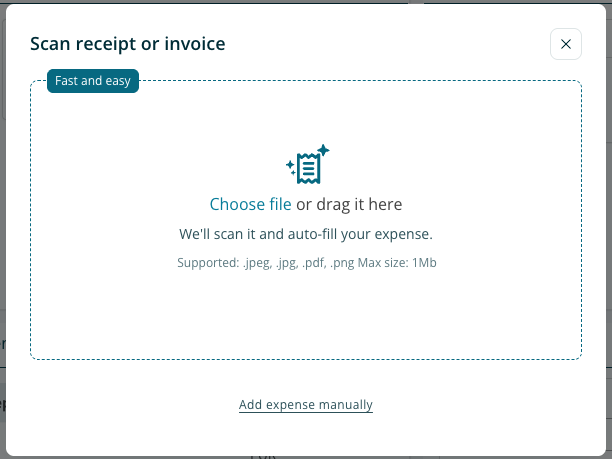
|
Upload method |
Maximum file size |
|---|---|
|
Upload a receipt for automatic reading (OCR) |
1 MB per file |
|
Attach a receipt to an expense transaction without OCR |
10 MB per file |
OCR reads receipt details to help you enter an expense. An ordinary attachment stores the receipt as supporting evidence without automatically reading its details.
My receipt exceeds the OCR limit
If your receipt is larger than 1 MB, but no larger than 10 MB, you can attach it without using OCR:
-
Create the expense transaction manually(click the link “Add expense manually”)
-
Enter the required expense details.
-
Attach the receipt directly to the transaction, rather than using the OCR upload.
-
Check that the attachment is readable before submitting the expense.
You do not need to use OCR to attach a receipt as supporting evidence.
My receipt exceeds 10 MB
Reduce the file size while keeping all receipt details legible, then attach the smaller file to the transaction. Retain the original receipt in accordance with your company’s policy.
The file is within the limit but will not upload
Contact your company administrator and include:
-
Whether you used OCR or attached the receipt directly to a transaction.
-
The file type and size.
-
The exact error message or a screenshot.
-
The browser you used.
-
optionally the file you attempted to upload